VMware Cluster Site Requirements
Ensure that your VMware cluster site meets the following requirements:
| ■ | The configuration process assumes that you have a VMware cluster that contains at least two ESXi servers controlled by vCenter server. |
| ■ | The clustered VM servers should be connected to a shared network storage of type iSCSI or any other types supported by VMware ESXi. |
For example, a datastore “QASWDatacenter” which contains a cluster named “qaswCluster01” and is combined of two ESXi servers ( figure below).
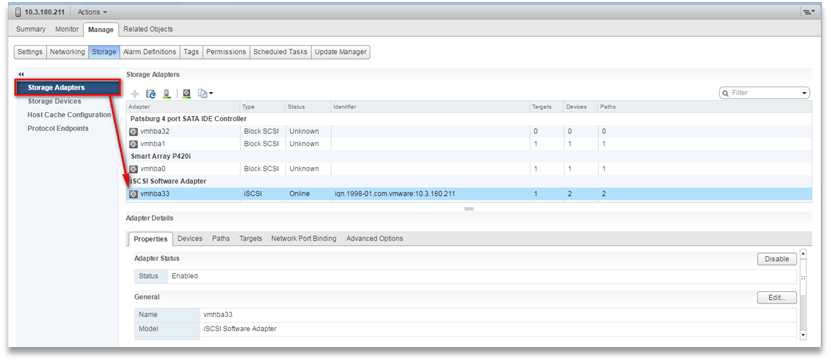
| ■ | Verify that Shared Storage is defined and mounted for all cluster members: |
Storage Adapters
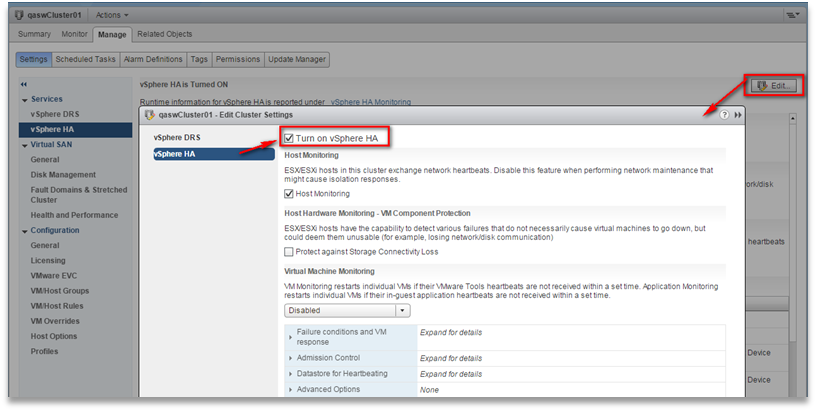
| ■ | Ensure that the 'Turn On vSphere HA' check box is selected: |
Turn On vSphere HA
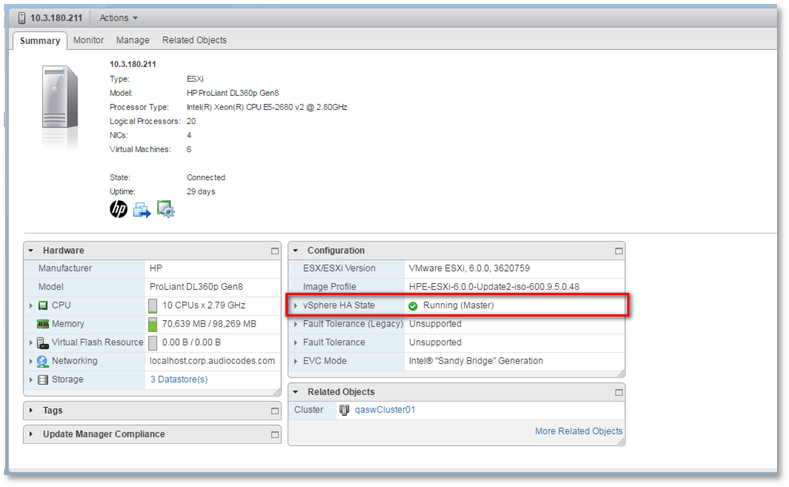
| ■ | Ensure that HA is activated on each cluster node: |
Activate HA on each Cluster Node
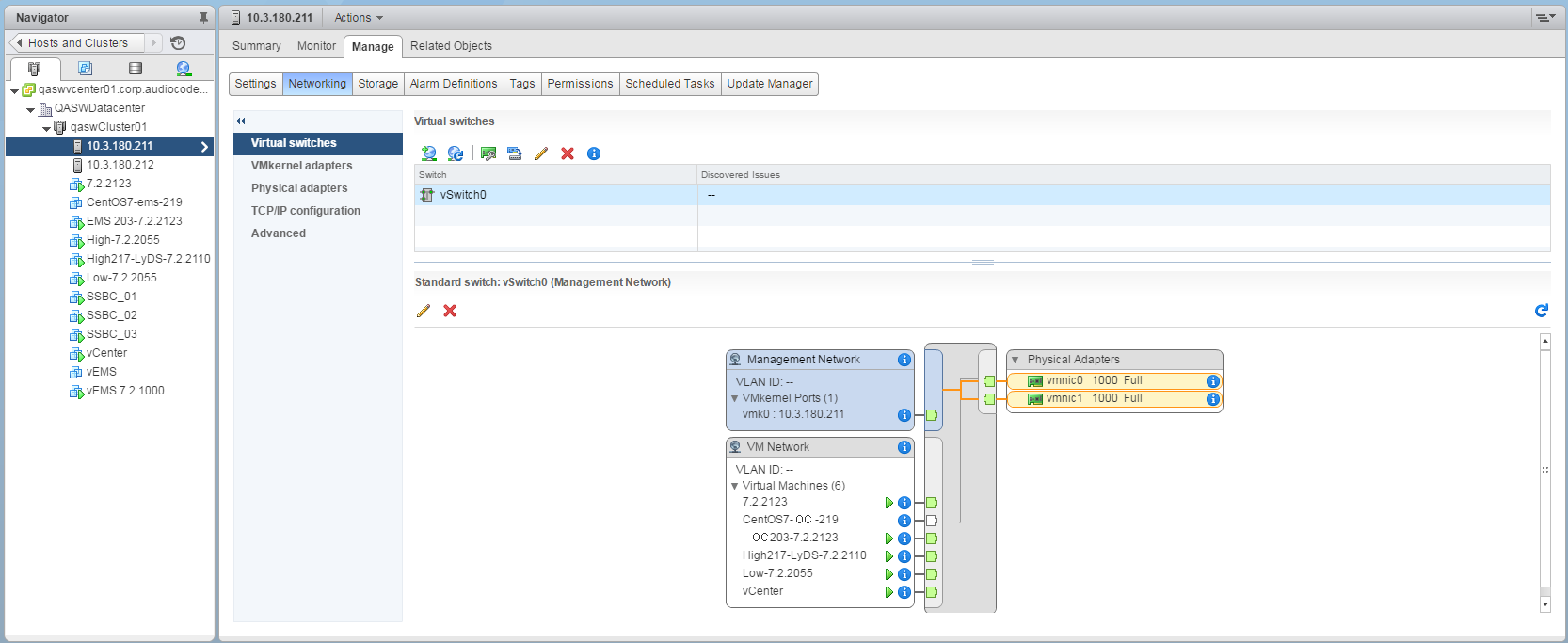
| ■ | Ensure that the networking configuration is identical on each cluster node: |
Networking
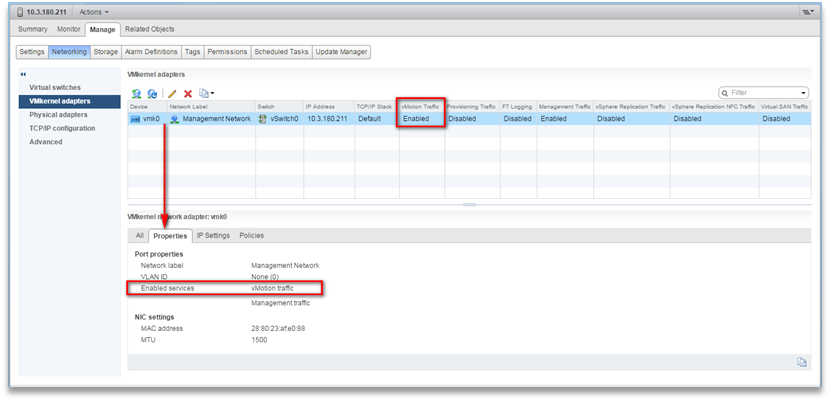
| ■ | Ensure that the vMotion is enabled on each cluster node. The recommended method is to use a separate virtual switch for vMotion network (this should be defined in all cluster nodes and interconnected): |
Switch Properties
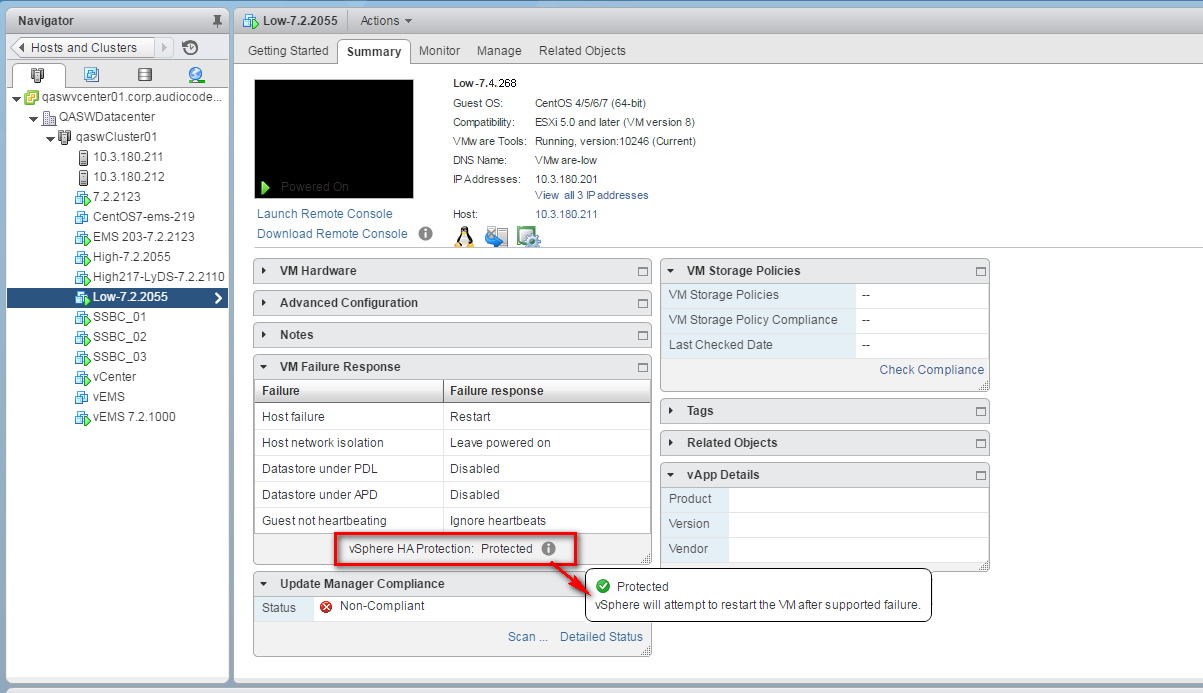
| ■ | A VM will be movable and HA protected only when its hard disk is located on a shared network storage on a cluster. You should choose an appropriate location for the VM hard disk when you deploy the OVOC VM. If your configuration is performed correctly, a VM should be marked as “protected” as is shown in the figure below: |
Protected VM
If you wish to manually migrate the OVOC VMs to another cluster node, see Managing Clusters.